How an innocent Google search can become tomorrow morning’s ransomware incident.
Your security awareness program has spent years teaching employees to be suspicious of phishing emails. That’s still important. But what if there isn’t an email?
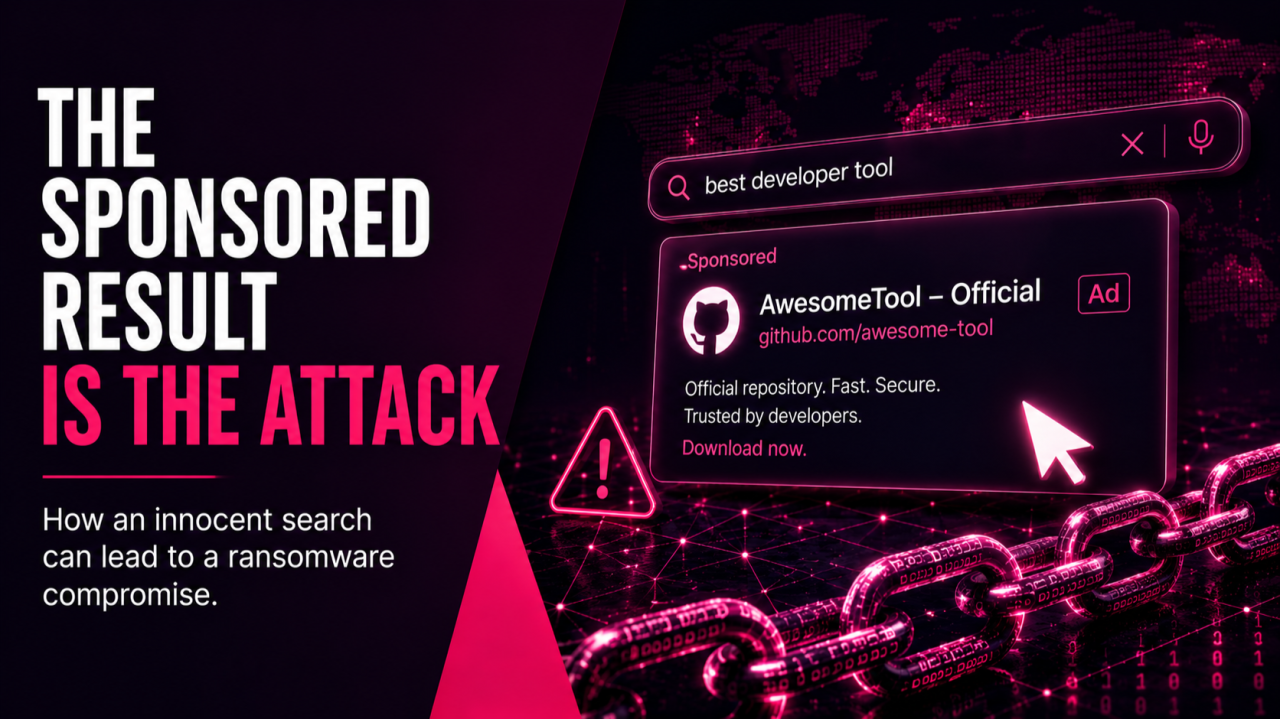
Imagine one of your engineers needs a new developer tool. They open Google. Type the product name into the search bar. Click the first sponsored result.
The page looks legitimate. It’s hosted on GitHub. The installer appears authentic. Within minutes, your environment is compromised. No phishing email. No malicious attachment. No suspicious-looking domain. No obvious warning signs.
The employee didn’t make a careless mistake. They followed what has become normal behavior inside almost every organization. And that’s exactly why this attack is so effective.
One of the fastest-growing initial access techniques isn’t convincing people to click links in email. It’s convincing them to trust search results.
The Attack Is Smarter Than Most People Realize
The simplest version of this attack is straightforward. An attacker creates what appears to be an official GitHub repository, uploads a malicious installer using the name of legitimate software, then purchases Google Ads directing users to it.
Researchers documented exactly this approach in a campaign impersonating Google Authenticator. Victims believed they were downloading security software to better protect themselves. Instead, they installed malware.
But attackers have already evolved beyond that. Today, many don’t bother creating fake repositories at all. Instead, they fork legitimate GitHub projects, modify a single commit, and create convincing download pages that appear to belong to the real project.
The sponsored search result sends victims directly to that specific commit. To the average user, everything looks authentic. They’re on GitHub. They’re looking at the real project. The documentation appears legitimate.
The only clue is a small banner indicating they’re viewing a single commit instead of the project’s primary branch. Most people never notice it. Honestly, I’m not sure most experienced IT professionals would either if they were in a hurry.
Why Attackers Target Technical Employees
This isn’t random. Attackers deliberately go after developers, administrators, and engineers because those people already have access to the systems criminals ultimately want.
Compromise an accountant, and you steal financial information. Compromise a systems administrator, and you may gain access to the entire enterprise.
That’s exactly why campaigns like GPUGate specifically targeted developer tools. Researchers found malware engineered to avoid automated security analysis, bypass common sandboxing techniques, and ultimately establish the kind of quiet foothold attackers need before credential theft, ransomware deployment, or broader network compromise.
The objective wasn’t immediate destruction. It was access.
This Isn’t Nation-State Tradecraft Anymore
One of the most dangerous trends in cybersecurity is how quickly sophisticated techniques become commercially available. This attack is no exception.
Researchers have documented criminal services operating thousands of fake GitHub accounts designed to manufacture credibility by artificially increasing stars, forks, and subscriptions on malicious repositories.
Instead of building trust, they simply buy it. For a relatively small investment, almost anyone can rent infrastructure capable of distributing credential stealers, ransomware loaders, and other malware through platforms developers already trust.
The barrier to entry continues to fall. The potential impact does not.
Why This Attack Slips Past Traditional Security
One of the reasons these campaigns are so successful has very little to do with the malware itself. It’s because they bypass many of the security controls organizations have spent years building.
Think about what happens during a traditional phishing attack. An email arrives. Your email gateway scans it. Threat intelligence evaluates the sender. Links are analyzed. Attachments are inspected. Security tools have multiple opportunities to stop the attack before the employee ever sees it.
None of that happens here. The employee initiates the interaction. They open a browser. They search for software they legitimately need. They click what appears to be a trusted result.
By the time security tools become involved, the installer may already be running. That creates four advantages for the attacker.
The User Chose the Attack
Suspicion is naturally low because the employee initiated the search. People are conditioned to be cautious when something unexpected appears in their inbox. They’re much less suspicious when they’re intentionally looking for a tool they need.
Ironically, the safest-looking moment is often the most dangerous.
The Email Gateway Is Not the Path
Threat actors are aware that organizations spend tens or hundreds of thousands of dollars on email security.
So they bypassed it.
The Domain Is Legitimate
Many of these campaigns rely on infrastructure organizations already trust like GitHub, GitHub Pages, or, in some cases, the software vendor’s own domain. That makes reputation-based filtering far less effective than organizations expect.
Checking the domain used to be good advice. Increasingly, it’s no longer enough.
Searching Feels Safe
Perhaps the biggest advantage is psychological. Nobody has ever taught employees that searching for software could be dangerous. It’s one of the most routine activities in modern business, which makes it an ideal attack surface.
What Actually Works
There isn’t a single control that solves this problem. But there are several that dramatically reduce the risk.
Interestingly, the most effective ones have very little to do with recognizing malicious advertisements. They’re about limiting what happens after someone clicks.
1. Keep Administrative Accounts Off the Internet
If an administrator browsing the web accidentally downloads malware, the potential damage is dramatically different than if a standard user does the same thing.
Administrative accounts shouldn’t be used for everyday browsing, email, or software downloads. Dedicated privileged workstations and tiered administrative access don’t eliminate attacks. They dramatically reduce their blast radius.
One mistaken click shouldn’t become a domain-wide compromise.
2. Restrict Internet Access Where It Isn’t Needed
Most servers have no legitimate reason to browse the internet freely. The same is true for many privileged systems.
Limiting outbound connectivity, monitoring unusual destinations, and reviewing exceptions can turn suspicious traffic into an immediate investigation instead of an overlooked log entry.
3. Control What Can Run
This remains one of the most effective defenses available. Application allowlisting doesn’t care whether malware arrived through email, a search engine, a USB drive, or a trusted website. If the software hasn’t been approved, it simply doesn’t execute.
It’s more work to implement than traditional antivirus. It’s also dramatically more resilient against modern delivery techniques.
4. Remove the Need to Search
This may be the simplest—and most overlooked—control.
If employees always know where approved software lives, they have far less reason to search the internet.
- Maintain an internal software catalog.
- Provide verified download links.
- Make the secure path the easiest path.
Most people aren’t trying to bypass policy. They’re trying to get their work done.
5. Treat Ad Blocking as Security
Many organizations view ad blockers as productivity tools. Increasingly, they’re becoming security tools.
Removing sponsored search results eliminates the delivery mechanism for an entire class of attacks before users ever encounter them.
6. Watch for Newly Registered Domains
Attackers frequently rely on newly created lookalike domains. Blocking or monitoring recently registered domains remains one of the highest-value, lowest-noise detection opportunities available.
7. Know Which Remote Access Tools Belong
Many of these campaigns ultimately deploy remote administration software. That shouldn’t blend into the environment.
Organizations should know exactly which remote management tools are approved—and investigate every other installation as a potential incident.
8. Teach One Very Specific GitHub Lesson
General awareness training isn’t enough. Developers don’t need another generic phishing presentation. They need to understand one specific technique. A GitHub commit page is not the same thing as a project’s primary branch. That ninety-second lesson could prevent an entire class of compromises.
9. Focus on Browser Security
Move the protection to the interface the user interacts with the public internet. The web browser. Secure browsers provide a layer of protection not easily realized at the network or machine levels.
The Bigger Leadership Lesson
This isn’t really a story about Google or GitHub or malware. It’s a story about how attackers adapt faster than security habits.
For years, organizations taught employees to:
- Check the sender.
- Check the domain.
- Check the certificate.
- Avoid suspicious email attachments.
Those were good lessons. They still are. They’re simply no longer sufficient.
This attack succeeds because the traditional trust signals still appear legitimate. The employee isn’t ignoring security awareness. They’re following it.
Why Business Leaders Should Care
This trend reveals several uncomfortable truths that extend well beyond cybersecurity.
You’re Protecting the Wrong Door
If the majority of your anti-phishing investment is concentrated around email, attackers have already begun walking around it.
Increasingly, the initial compromise starts somewhere else. Search engines. Advertising platforms. Trusted developer communities. Software repositories.
Organizations need to think about securing the entire user journey—not just the inbox.
The Damage Was Decided Long Before the Click
Whether a malicious installer becomes a minor help desk ticket or a company-wide ransomware event often depends on decisions made months—or years—earlier.
Were privileged accounts separated? Were administrative workstations isolated? Was application control implemented? Those architectural decisions determine the outcome long before an employee searches for software.
Security architecture, not user behavior, often decides the size of the incident.
AI Adoption Is Creating New Risk
Many of the campaigns researchers are now tracking specifically target AI development tools. That shouldn’t surprise anyone.
Organizations are adopting AI faster than they’re governing it. Employees are experimenting with new tools, searching for installers, downloading software, and connecting AI services to sensitive business data—often without formal review.
AI isn’t just changing productivity. It’s changing the attack surface.
Yesterday’s Security Advice Isn’t Enough
“Check the domain.” “Verify the certificate.” “Only download from trusted websites.”
Those recommendations haven’t become wrong. They’ve become incomplete.
Attackers increasingly use trusted domains, trusted certificates, and trusted platforms. Security awareness needs to evolve just as quickly as the threats do.
Structure Beats Speed
One statistic from the research stood out to me. Researchers observed dozens of malicious domains online simultaneously—and watched new ones appear while they were still documenting the campaign.
That’s an important reminder. Organizations cannot block their way out of this problem. By the time one malicious domain disappears, another has already taken its place.
Long-term resilience comes from structural controls:
- Strong identity management
- Application allowlisting
- Software governance
- Privileged access management
- Secure software distribution
- Thoughtful network architecture
Those investments continue paying dividends regardless of which campaign appears next.
Common Questions Asked
A malvertising attack uses malicious or deceptive online advertisements to direct users toward malware, credential theft, or other threats. Attackers can purchase sponsored search results that impersonate legitimate software and lead users to convincing download pages.
Attackers can purchase sponsored search results for software-related searches. A user searching for a legitimate tool may click the sponsored result and arrive at a fake or manipulated download page that appears authentic. In some campaigns, attackers have even used legitimate platforms such as GitHub to make the attack more convincing.
The attack doesn’t need to arrive through email. The employee initiates the interaction by opening a browser, searching for software, and clicking a result. That means email gateways never get an opportunity to inspect the link or attachment before the user encounters the threat.
Developers, engineers, and administrators often have access to valuable systems and infrastructure. Compromising one of these users can give attackers a foothold for credential theft, lateral movement, ransomware deployment, or broader network compromise.
es. Attackers may fork legitimate GitHub projects, alter a commit, and direct victims to that specific version. Because the user is still viewing GitHub and much of the project appears legitimate, recognizing the malicious modification can be difficult.
Sources
- Arctic Wolf, “GPUGate Malware: Malicious GitHub Desktop Implants Use Hardware-Specific Decryption, Abuse Google Ads to Target Western Europe” (September 2025)
- Palo Alto Networks Unit 42, malvertising via dangling GitHub commits (August 2025)
- Check Point Research, “Stargazers Ghost Network” (July 2024)
- Malwarebytes, “Threat actor impersonates Google via fake ad for Authenticator” (July 2024)
- Push Security, “InstallFix: How attackers are weaponizing malvertised install pages” (March 2026)
- Trend Micro, “InstallFix and Claude Code: How Fake Install Pages Lead to Real Compromise” (May 2026)
- Straiker and EclecticIQ, fake AI developer tool installer infrastructure (March to May 2026)
- Huntress, ScreenConnect malvertising and BYOVD EDR killer campaign (March 2026)
- Huntress, “FakeAgent” fake Claude desktop app via Bing ads delivering SectopRAT (July 2026)
- Microsoft Threat Intelligence, large-scale malvertising campaign analysis (December 2024)