RMM phishing is not new. What makes this discovery notable is its scale: researchers connected hundreds of cases across 46 countries and found that the United States was the campaign’s leading target.
At first glance, this looked like a phishing campaign built around fake Canadian tax documents. It was much bigger than that.
Researchers at ANY.RUN found the same basic setup in submissions associated with 46 countries. About 45% of the observed activity was tied to the United States. The group found 425 fake-document pages spread across 240 web hosts, and 94% of those hosts appeared for only one day.
That does not mean 601 people or organizations were confirmed victims. It means researchers connected 601 submitted cases through shared clues. They also could not determine whether one criminal group was responsible, or several groups were using the same phishing kit.
How the Scam Works
The message looks routine: a tax form, shipping update, invoice, Social Security notice, or shared document. A link takes the recipient to a page designed to look like a familiar document service.
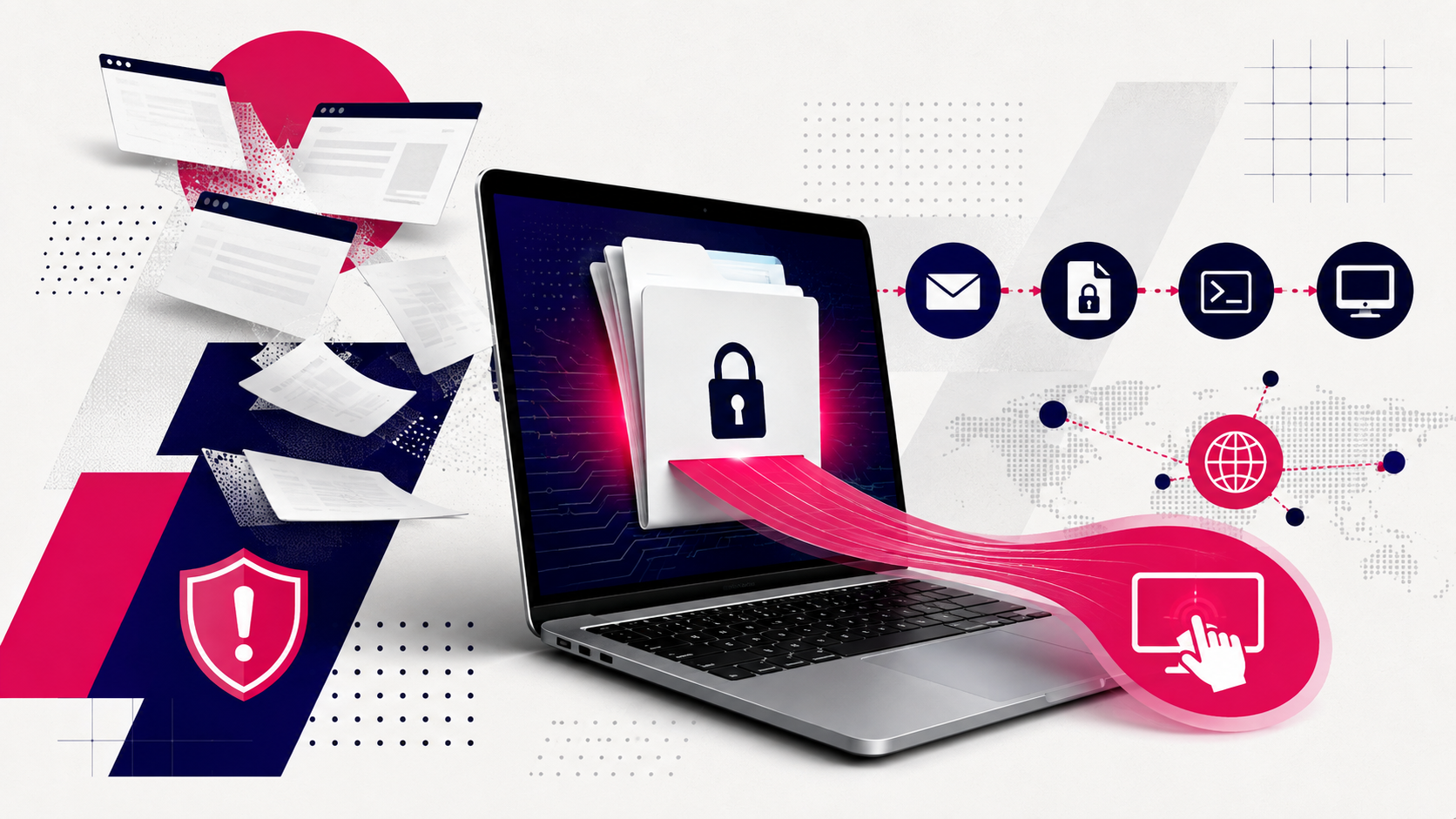
The page gives the visitor an access code and downloads a password-protected file. After the visitor opens it and runs the file inside, a hidden command downloads legitimate remote-support software.
That software is normally used by help desks and technology providers to manage computers from a distance. In this campaign, criminals used it to gain the same kind of access. Once connected, they could potentially view the computer, run commands, move files, or install more software.
Password protection can make the downloaded file harder for security systems to inspect, but it does not make the attack invisible. Some email-security services can recover passwords included in a message or quarantine protected files they cannot scan. Microsoft documents both options.
Why This Is Hard to Spot
The final program is not homemade malware. It is real, commercially available support software with a valid digital signature. Products observed in the wider campaign included GoTo Resolve, LogMeIn Rescue, ITarian, and ConnectWise ScreenConnect.
That can make the activity look ordinary. A security tool may see trusted software contacting a legitimate company’s service—the same behavior it might see when an authorized technician helps an employee.
Security products can still detect suspicious installations and behavior. The problem is that recognizing the software is not enough. The important question is whether that particular remote connection was approved.
The Websites Change, but the Method Remains
The criminals regularly replaced the websites used in the scam. They used popular hosting and storage services as well as compromised websites and disposable domains. Blocking a known bad address could help for a day, but the next batch might arrive from somewhere new.
The underlying setup changed less often. Researchers repeatedly found the same page design, image files, web font, and download sequence. Those shared details allowed them to connect pages that otherwise looked unrelated.
This is the campaign’s larger lesson: do not rely only on lists of bad websites. Watch for the repeated method.
What Organizations Can Do
Organizations should know which remote-support products they use, who is allowed to install them, and which outside providers are authorized to connect. An unfamiliar remote-support program—or a familiar one connected to an unknown account—should be investigated.
Warning signs include:
- An unexpected message asking someone to open a protected download.
- A “document” that requires running a script or installer.
- Remote-support software installed by an employee instead of the IT department.
- A new remote-access connection to a service the organization does not normally use.
- Remote-support software that does not appear in the company’s approved inventory.
NSA, CISA, and MS-ISAC recommend regularly checking for remote-access software and preventing unapproved tools from running.
For everyday users, the safest response is simple: if an unexpected tax form, invoice, delivery notice, or shared document asks you to download a protected file and run something inside it, stop. Confirm the message with the sender through a phone number or website you already trust.
The criminals in this campaign could replace their websites quickly. Their process was harder to change. Defenders—and users—will have better results if they learn to recognize that process instead of waiting for a warning about one specific website or program.
Find Out What Your Email Security Is Missing
IT Audit Labs’ free 14+1 Email Security Assessment combines 14 days of monitoring with just one hour of your team’s time, split into two 30-minute sessions. It runs alongside your existing Microsoft 365 protections without blocking email or disrupting users, then shows you the phishing attempts, risky sharing, and other security gaps found in your environment.
Start your free 14+1 Email Security Assessment
Common Questions Asked
RMM phishing is a scam where attackers trick someone into installing legitimate remote monitoring and management software — the same tools help desks use — instead of traditional malware. Because the program is real and digitally signed, it’s harder for security tools to flag as malicious, and the attacker gains the same remote access a technician would have.
The victim gets a routine-looking message (a tax form, invoice, shipping update, or shared document) with a link to a page mimicking a document service. The page hands over an access code and a password-protected download. Opening and running the file triggers a hidden command that installs real remote-support software such as GoTo Resolve, LogMeIn Rescue, ITarian, or ConnectWise ScreenConnect, giving the attacker remote control of the device.
Because the final payload isn’t custom malware — it’s commercially available, digitally signed remote-support software contacting its own legitimate vendor servers. That traffic looks identical to an authorized technician helping an employee. The real question isn’t whether the software is legitimate, but whether that specific remote connection was ever approved.
Password protection can prevent some email security tools from scanning the file’s contents. Not all defenses handle this the same way — some email security services can recover included passwords or quarantine attachments they can’t scan, but organizations relying on scanning alone can miss the file entirely.
ANY.RUN researchers connected 601 submitted cases across 46 countries, with about 45% tied to the United States. They also found 425 fake-document pages spread across 240 web hosts, 94% of which existed for only one day. This reflects connected case submissions, not confirmed victims, and it’s unclear whether one group or several groups using the same phishing kit are behind it.