Executive Summary
Pwnagotchi is an open-source device that helps security professionals and learners see how WiFi networks authenticate and where they’re weak. It captures authentication data during authorized testing, which makes wireless security concepts easy to see and hard to forget. This updated guide covers how Pwnagotchi works today, what it can and can’t do, whether it’s legal, and what your organization should do to protect its own wireless networks.
This post builds on our original article, Meet Pwnagotchi: The AI Pet That Hunts WiFi Handshakes. Since then, the project has kept evolving, and so have the questions we get about it. Here’s what’s changed and what matters now.
What Is Pwnagotchi?
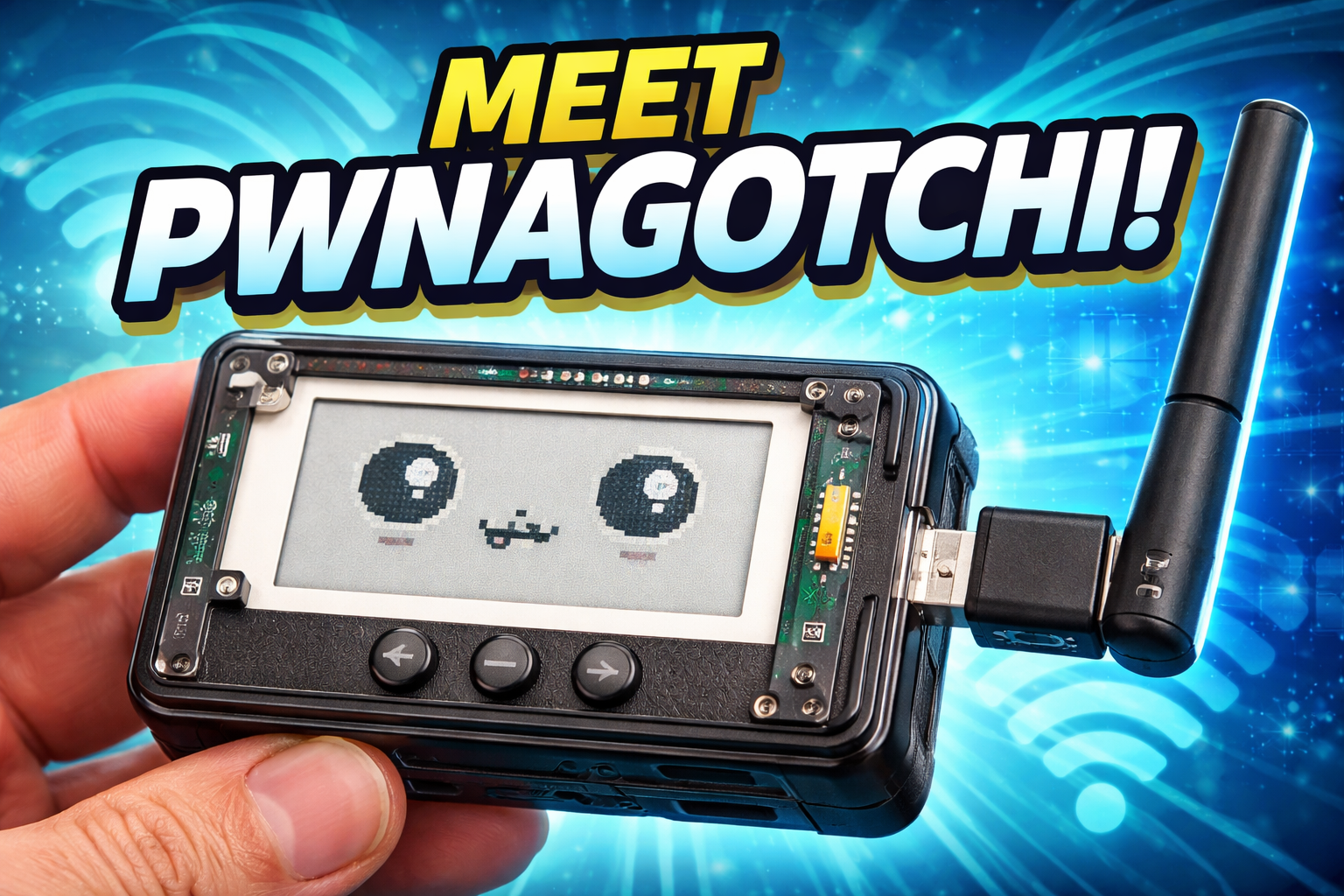
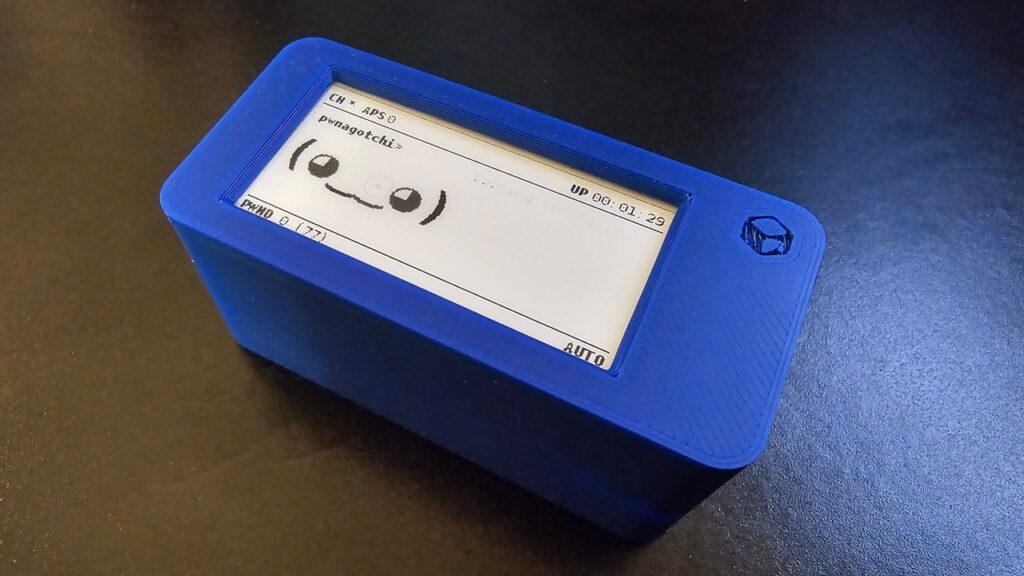
Pwnagotchi is an open-source cybersecurity project that runs on small, inexpensive hardware like a Raspberry Pi. A low-power e-ink screen shows a simple pixel face that reacts to what the device is doing: excited when it finds new networks, happy when it captures data, bored when nothing is happening.
It looks like a toy. It isn’t.
Behind the face, Pwnagotchi listens for WiFi authentication events, known as handshakes. These happen naturally every time a phone, laptop, or smart device connects to a wireless network. Security teams can review captured handshakes to evaluate:
- Network configuration
- Encryption strength
- Password policy effectiveness
- Overall wireless security posture
Pwnagotchi is intended for education and authorized security testing only.
How Pwnagotchi Works
The original Pwnagotchi used a machine learning technique called reinforcement learning. In plain terms, it tried different approaches in different environments and learned which ones got better results over time. That’s where the “AI pet” nickname comes from: the more it “eats,” the smarter it gets.
In many current community builds, the AI mode is optional, and plenty of users run it on the default logic because it’s lighter on small hardware.
The personality layer is what makes it such a good teaching tool. When the face changes, you know something just happened on the network. Abstract concepts like authentication and encryption suddenly have a visible, real-time signal attached to them.
What Pwnagotchi Isn’t
Pwnagotchi gets a lot of hype online, so it’s worth clearing up a few misconceptions.
- It’s not an instant WiFi hacking tool. It doesn’t break into networks or hand over passwords on its own.
- It’s not a replacement for a professional assessment. It shows one slice of wireless risk. A real wireless penetration test looks at configuration, segmentation, rogue access points, guest networks, and more.
- It’s not harmless in the wrong hands. Captured handshakes can be tested offline against weak passwords. That’s exactly why strong passphrases and modern encryption matter, and why authorization is non-negotiable.
Why Security Teams Find It Useful
Pwnagotchi makes wireless security visible. For professionals and learners, it turns theory into something you can hold in your hand.
Teams use it to:
- Watch how WiFi authentication actually happens
- Understand what data is exchanged when devices connect
- Demonstrate wireless risk to leadership in a way that sticks
- Support approved security assessments and lab-based training
It’s also a great conversation starter. Put one on the table in a security awareness session and people pay attention.
The Pwnagotchi Ecosystem Today
Pwnagotchi launched in 2019 and quickly built a following for its creative take on security education. The original project eventually went quiet, and development shifted to community-maintained forks.
Today’s community versions:
- Support newer Raspberry Pi hardware and current Raspberry Pi OS releases
- Keep software dependencies up to date
- Improve stability, power efficiency, and auto-update reliability
- Offer a growing library of plugins for backups, Bluetooth tethering, mapping, and custom display themes
Active releases and an engaged community have kept Pwnagotchi relevant well past what most hobby security projects manage.
Getting Started at a High Level
A typical Pwnagotchi build includes:
- A small single-board computer, such as a Raspberry Pi
- A microSD card for storage
- A battery pack or portable power source
- A compatible e-ink display
- An optional case
Treat it as a learning project, not a plug-and-play gadget. Understanding what the device captures and why it behaves the way it does is where the real value is.
How to Protect Your Network From Handshake Capture
Here’s the part most Pwnagotchi articles skip. If a $50 device can capture your network’s authentication data, what should your organization do about it?
Use long, unique WiFi passphrases. Captured handshakes are only useful to an attacker if the password is weak enough to guess. A long, random passphrase makes that impractical.
Move to WPA3 where you can. WPA3 was designed to resist the offline guessing attacks that make captured WPA2 handshakes risky. If your hardware supports it, turn it on.
Enable Protected Management Frames (802.11w). This helps block the forced disconnections tools can use to trigger new handshakes.
Use enterprise authentication for business networks. WPA2 or WPA3 Enterprise with 802.1X gives each user their own credentials instead of one shared password for the whole office.
Segment your networks. Guest WiFi, IoT devices, and corporate systems should never share the same network.
Monitor your airspace. Wireless intrusion detection can flag suspicious activity, like repeated disconnection attempts, before it becomes a problem.
Test it for real. The only way to know how your wireless environment holds up is to have it assessed by people who know what to look for. If an assessment turns up gaps, our remediation services help you close them.
Ethics and Responsible Use
Using Pwnagotchi on networks without permission may be illegal and is unethical. Only use it on networks you own or have explicit, written authorization to test.
At IT Audit Labs, we believe security tools are most effective when paired with clear scope, documented intent, and responsible testing practices. Curiosity is a great starting point. Permission is the requirement.
Is Pwnagotchi Right for You?
Pwnagotchi is a good fit if you’re interested in:
- Wireless security fundamentals
- Cybersecurity education and training
- Hardware and embedded systems
- Hands-on learning you can actually see
If you’re responsible for your organization’s security, it’s also a useful reminder: if a hobbyist device can see this data, so can someone with worse intentions.
Want to know how your wireless networks would hold up? IT Audit Labs helps organizations find and fix gaps before attackers do. Talk to our team about a penetration test or explore our vCISO services.
FAQ: Pwnagotchi Explained
Pwnagotchi is an open-source cybersecurity project that runs on a Raspberry Pi and captures WiFi authentication data to help security professionals and learners understand wireless network behavior during authorized testing.
It captures WiFi authentication events, called handshakes, which occur when devices connect to wireless networks.
Owning or building one is generally legal. Using it on networks you don’t own or aren’t authorized to test can violate the law. Always get explicit, written permission first.
Not on its own. It captures authentication data but doesn’t break into networks. That data can be tested offline against weak passwords, which is why strong passphrases and WPA3 matter.
The original design used reinforcement learning to adapt to different environments. In many current community builds, AI mode is optional.
WPA3 was designed to resist the offline guessing attacks that make captured WPA2 handshakes useful. Networks running WPA3 are significantly harder to exploit this way.
Use long, unique passphrases, enable WPA3 and Protected Management Frames, use enterprise authentication for business networks, segment guest and IoT traffic, and schedule regular wireless security assessments.
Yes. Development is community-driven, with active forks supporting newer hardware and regular releases.
Cybersecurity professionals, students, ethical hackers, and anyone learning about wireless security or embedded systems.